Waterpark Simulator Official Links Hub
Store, studio, Discord, and wiki routes without hunting through social tabs.
Why a links hub
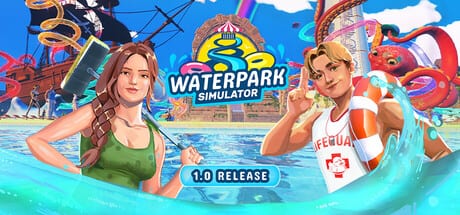
Strategy pages tell you how to run the park. This Official Links Hub tells you where the game lives online so patch notes, wishlists, and community questions do not require a scavenger hunt. Waterpark Simulator is developed by CayPlay Studios. Version 1.0 launched July 31, 2026 on Steam, PlayStation 5, and Xbox Series X|S at $12.99, with online co-op for 2–4 players, custom slides, Beach map content, night overtime, diamond rating, security, mascots, and Ocean / Aztec / Pirate themes.
Use this page as a bookmarkable directory. Internal wiki routes below are locale-agnostic paths with trailing slashes so every language build can localize them correctly.
Official destinations
Steam store page
Waterpark Simulator on Steam is the primary PC storefront and the deepest public surface for changelogs, screenshots, and player discussion. Wishlist and library ownership both funnel here. When a balance hotfix lands, Steam news is usually the first durable write-up console players can still cross-check.
CayPlay Studios
CayPlay is the developer home. Use it for studio-facing announcements, portfolio context, and links the team chooses to highlight beyond a single store widget. If Steam text and community rumors disagree, prefer studio or Steam posts over second-hand Discord memory.
Official Discord
Waterpark Simulator Discord is the live community room for feedback, co-op looking-for-group energy, and fast hotfix chatter. Treat Discord as a signal, not a patch notes database: confirm lasting changes on Steam or CayPlay when you rewrite park habits. Never share account credentials in public channels, and be careful with unsolicited “free tools” claims in any game Discord.
Wiki routes worth pinning beside the store
Learn the loop
- Guides Hub — ticket, cleaning, research, stars, co-op index
- Getting Started — opening-day survival
- Stars and Diamond Rating — prestige track into diamond
- Research Points — how unlock currency actually works
- Cleaning Loop — bins, mop, bags, repairs
- Multiplayer Co-op — 2–4 player role splits
Build and staff
- Build Hub — slides, pools, prestige index
- Custom Slides — 1.0 creative spike with safe exits
- Staff Hub — roster families
- Hiring Guide — when to pay wages
Planners and patch notes
- Tools Hub — checklists and planners
- Star Checklist — diamond readiness board
- Staff Planner — hire composition
- Research Planner — unlock order
- Updates Hub — version index
- Version 1.0 Overview — full launch package map
- Patch 1.0.30 Hotfixes — empty-park Steam verify, UI scaling, multiplayer PvP throws
Map, review, controls, tiers
- Night Mode and Weather — overtime and lighting context
- Is It Worth Buying? — purchase framing for the 1.0 set
- Controls Hub — PC and console inputs
- Tier List Hub — attractions, upgrades, staff value debates
How to use official links without derailing a park day
- Check Steam or CayPlay when something feels “broken” after a patch.
- Skim Discord for player workarounds, then verify in your own save.
- Return to Getting Started if the gate is still the real problem.
- Use Tools planners before another Beach expansion argument in voice chat.
- Read Version 1.0 Overview when Early Access habits stop matching the live client.
Community etiquette (short)
Ask clear questions: platform, solo vs co-op, star tier, and whether night mode is on. Share screenshots of bin facing and slide exits when requesting build help. Do not demand free unlocks or account shares. Credit creators when you remix a layout idea, and keep purchase debates civil—Is It Worth Buying? exists so the Discord channel does not have to relitigate the $12.99 question every week.
Quick copy list
- Steam: https://store.steampowered.com/app/3293260/Waterpark_Simulator/
- Discord: https://discord.com/invite/waterparksimulator
- CayPlay: https://cayplay.com/
- This wiki domain: configured in site meta as waterparksimulator.wiki
Pin this Official Links Hub next to the Updates Hub. When friends join a 2–4 player lobby and ask “where do we even look?”, send them here first, then into Guides and Tools once the store and Discord tabs are settled.
Frequently Asked Questions
Quick answers to the most common questions.
Where do I buy Waterpark Simulator on PC?
Use the official Steam store page for app 3293260. Console editions launched with 1.0 on PlayStation 5 and Xbox Series X|S.
What is the official Discord invite?
https://discord.com/invite/waterparksimulator — useful for community chat and fast patch discussion.
Where is the developer site?
CayPlay Studios is at https://cayplay.com/ for studio-facing links and announcements.
Does this hub replace guides?
No. It directories official and wiki destinations. Strategy depth lives under Guides, Build, Staff, Tools, and Updates.
Where are 1.0 feature notes?
Open Version 1.0 Overview for the launch feature map, then Patch 1.0.30 Hotfixes for post-launch Steam verify, UI scaling, and multiplayer QoL.
Is there a page for buying advice?
Yes. Is It Worth Buying? under Review summarizes whether the 1.0 package fits your taste.