Waterpark Simulator 1.0 Launch Overview
What shipped on July 31, 2026—and which wiki pages own each system.
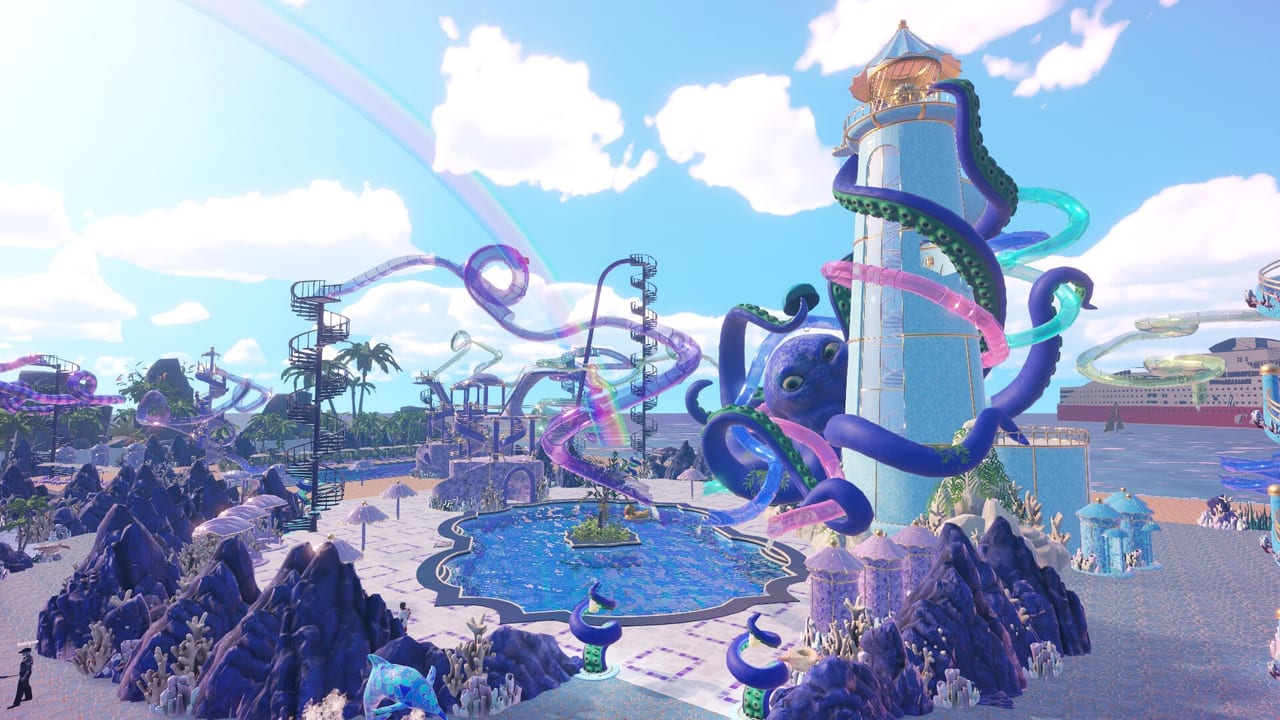
Launch snapshot
CayPlay Studios shipped Waterpark Simulator 1.0 on July 31, 2026, taking the first-person waterpark management sim out of Early Access. The release landed the same day on Steam, PlayStation 5, and Xbox Series X|S with the price held at $12.99—the studio publicly froze the sticker after considering a typical simulator hike. If you only remember one sentence: 1.0 is the full-feature baseline this wiki assumes—online co-op, creative building toys, prestige extension, emergency funding tools, deeper character saves, and the staff/theme systems that support a longer endgame.
Around launch, Steam also ran an introductory offer (about 20% off, scheduled to end mid-August 2026—Steam listed August 14). Treat that as a storefront-timed deal, not a permanent price cut; the held base price remains $12.99 after the offer window.
Official storefront: Steam — Waterpark Simulator. Studio home: CayPlay. Community patch chatter: Discord invite. All three also sit on the Official Links Hub. Still deciding whether the $12.99 package fits you? Read Is It Worth Buying?.
Headline 1.0 systems
Online co-op (2–4 players)
Friends can share a park session instead of solo mopping forever. Co-op shines when roles split—gate, cleaning, build, rescue—rather than four players fighting for the same hot dog stand. Night overtime and payroll become lobby decisions. Deep role advice: Multiplayer Co-op, Staff Planner, and platform inputs via PC Controls or Console Controls.
Custom slides
Prefab tubes are no longer the whole thrill story. Custom paths, loops, and spirals create signature attractions—and signature drowning risks if exits are wrong. Read Custom Slides before your first tower ego project, and keep landing water sane with Pool Layout.
Beach map
A larger creative footprint with shoreline fantasy and longer walking distances. Beach space is not a free rating boost; every extra meter multiplies trash travel, rescue time, and staff pathing. Zone the shoreline before you sprawl—see Beach Map Zones—and expand only when the Star Checklist already shows stable gate and cleaning rows.
Night mode and overtime
Optional extended hours with a different lighting vibe. Use night to finish chores or squeeze value from a successful day—not to paper over a failing daytime loop. Wages climb; dark service alleys hide mess. See Night Mode and Weather.
Diamond rating
Prestige continues past the classic five-star climb. Diamond adds quests, rewards, and reasons to master late systems. It does not replace objective-driven stars or basic operations. Framework: Stars and Diamond Rating. Opening habits still matter: Getting Started. Challenge hunters can also track completion goals in Achievements.
Security and mascots
Security helps remove unruly guests when parks get dense. Mascots add hype after cleanliness and safety can handle attention. Hiring timing: Hiring Guide, Staff Hub, composition grades on Staff Roles Tier List, and the dedicated Security and Mascots deep guide for 1.0 escort routes and parade space.
Ocean, Aztec, and Pirate themes
Theme sets support identity, screenshots, and late quest fantasy. A major 1.0 unlock path runs through the museum—three NPCs, three quest currencies, and a theme research tree that ends in signature slides. Full cadence: Museum Quests. Place kits as readable districts that preserve bin facing, lifeguard sightlines, and cleaner loops (Themes: Ocean, Aztec, Pirate). Prestige courtyard ideas: Prestige Builds.
Mafia loans (emergency cash)
Short on funds? The Mafia loan option can float a rough day—for a price. Treat it as expensive emergency leverage, not a staffing plan or a Beach expansion budget. Exact interest and penalty numbers can shift with patches, so this wiki will not invent a fixed rate table; assume the cost is painful enough that healthy ticket, food, and research loops beat habitual borrowing. Payroll buffers, income leaks, and when borrowing is actually worth it are covered in Money and Loans. If a loan is the only way to keep payroll alive, fix the income leak the same week—empty stands, blocked bins, and unmanaged pest pressure (see Seagulls) usually matter more than another borrowed stack of cash.
Character customization and save slots
1.0 deepens how you present the park manager: skin tones, hair, body sliders, outfits, and related looks sit alongside the park fantasy. Multiple character save slots let you keep different vibes or experiment without overwriting a main look. Customization is cosmetic flavor—it does not replace clean decks, safe slide exits, or diamond objectives. Slot habits and co-op etiquette: Character Customization. Use it after the morning rush is stable, especially in co-op where four players may want distinct avatars without fighting over one shared appearance.
Early Access thank-yous: Duck Slide and soundtrack
Players who owned the game during Early Access receive launch thank-you rewards: an exclusive in-game Duck Slide and the official soundtrack for free on Steam (kept forever, including later track updates). Post-1.0 buyers who missed Early Access should expect the soundtrack as a separate Steam item rather than an automatic library gift—buy advice lives in Soundtrack DLC. If you are an EA veteran and the Duck Slide or soundtrack is missing, check Steam library ownership and news before assuming a park bug.
Console launch and platform notes
PlayStation 5 and Xbox Series X|S launch with 1.0 on day one—console parks are not a cut-down tourist edition in the feature set this wiki tracks, including online co-op. Steam remains the deepest PC changelog and discussion surface. Performance and control comfort differ by hardware—fix inputs early if build mode or sprinting near guests is your real bottleneck. Console beginners should open Console Controls before blaming the Beach map for a stuck camera.
What did not change (and still ruins parks)
1.0 did not delete the core loop. Wrong tickets, missing bracelets, empty food counters, unmopped puddles, and unpaid research priorities still stall progress—gate discipline and cheater pressure are unpacked in Tickets and Cheaters. Cleaning Loop and Research Points remain mandatory reading. The Research Planner exists because Floor Tool and bins still beat vanity unlocks on day three. New toys—custom slides, Beach sprawl, night overtime, Mafia cash—amplify bad habits faster than they forgive them.
Suggested reading order after installing 1.0
- Getting Started — gate, flyers, stock, first hires
- Cleaning Loop — bins, mop, bags, repairs
- Research Points + Research Planner — unlock order
- Stars and Diamond Rating + Star Checklist — prestige track
- Custom Slides and Beach Map Zones — creative spike with safe exits and sane distances
- Hiring Guide + Staff Planner — payroll that matches layout
- Multiplayer Co-op — when friends join
- Seagulls and Achievements — pest pressure and completion goals once ops breathe
- Museum Quests + Advanced Tips — theme currencies and operator habits once the park breathes
- Is It Worth Buying? — if you are still on the fence about the $12.99 1.0 package
Practical launch-week checklist
- Update or install the 1.0 build on Steam, PS5, or Xbox Series X|S
- Note the Steam introductory offer end date if you are buying during the launch window
- Claim EA Duck Slide / soundtrack ownership checks if you supported Early Access
- Join Discord for hotfix chatter without treating every rumor as fact
- Relearn the morning rush before Beach megaprojects
- Unlock Floor Tool / bins / pockets before theme shopping sprees
- Hire cleaners and lifeguards before mascot parades
- Test one custom slide exit thoroughly before chaining five towers
- Avoid Mafia loans unless payroll is genuinely at risk—then fix income the same week
- Set a character look in a spare save slot before co-op fashion arguments
- Try night overtime only after daytime ops are boringly stable
- Assign a quest captain in co-op so diamond objectives are visible
Related deep guides
- Money and Loans — Mafia emergency funding, payroll buffers, and fixing income before you borrow again
- Security and Mascots — 1.0 hire timing, escort routes, and mascot hype without ops leaks
- Tickets and Cheaters — gate flow, bracelet checks, and unruly guest pressure that security cannot ignore
How this page will age
Future minor patches may tune wages, research costs, loan pressure, or AI pathing. When that happens, prefer Steam news and CayPlay communications over frozen Early Access memory. This overview stays useful as a feature map: which systems exist, why they matter, and which wiki page owns the deep advice.
Return to the Updates Hub for the index, and keep the Tools Hub bookmarked for the checklists that turn 1.0 features into a park that survives opening hour.
Frequently Asked Questions
Quick answers to the most common questions.
What platforms got Waterpark Simulator 1.0?
Steam, PlayStation 5, and Xbox Series X|S on July 31, 2026, with the price staying at $12.99.
How many players does online co-op support?
Online co-op supports two to four players in the 1.0 feature set covered here.
What is diamond rating?
Diamond is the prestige tier above the classic five-star path, with additional quests and rewards in 1.0.
Are custom slides and the Beach map part of 1.0?
Yes. Custom slides and Beach map content are headline creative systems in the launch package.
Do security and mascots ship with 1.0?
Yes. Security helps with unruly guests, and mascots add atmosphere once operations can support them.
What are Mafia loans?
An emergency funding option when cash is short—usable for a price. Treat loans as costly leverage, not a long-term staffing or expansion plan; exact rates can change with patches.
What do Early Access owners get at 1.0?
EA owners receive an exclusive Duck Slide in-game and the official soundtrack for free on Steam, kept permanently including later track updates.
Where should Early Access veterans start?
Skim this overview, then refresh Getting Started, Stars and Diamond, and the Tools planners before assuming old habits still win.