Waterpark Simulator PS5 and Xbox Controls
Pad-friendly habits for the same park chaos PC players face.
Consoles joined at 1.0
Waterpark Simulator launched on PlayStation 5 and Xbox Series X|S alongside the PC 1.0 release on July 31, 2026, still priced at $12.99. The pad does not change the job: sell correct tickets, fill trash bags, mop puddles, build with facing bins, and eject cheaters. This guide translates those verbs for console players and for mixed lobbies reading from the Controls Hub.
Exact button icons can vary with your controller prompts and any remaps, so learn the action names shown in the on-screen hints (lower corner / contextual prompts). Then lock muscle memory around hold-to-work, build rotate, and push/throw distinctions.
Movement and camera
- Left stick — move through the park
- Right stick — look / aim throws
- Sprint control — check Settings for hold versus toggle behavior; console players should mirror the spirit of PC Always Run by choosing the option that keeps high speed without aggressive bump knockdowns if such a toggle exists in your build
- Jump — face button or contextual jump control per prompt
Large Beach map walks punish low sensitivity; wet night-mode decks punish high sensitivity. Tune look speed until you can snap to a drown icon without overspinning past the life ring throw.
Interact, tools, and holds
Console play is hold-heavy. Construction hammering, mopping, and some repairs use press and hold interact on the primary action button shown in prompts. Short presses handle ticket confirmations, pickups, and door-style interactions. Open inventory/tool radial or shoulder-swapped tool slots to keep mop, bags, glove, and life ring available without long menu dives—pocket research from Research Points still matters on pads.
Push / throw usually sits on a secondary trigger or face button distinct from interact. Practice aiming with the right stick: full trash bags go into disposal; bracelet cheaters get shoved toward the exit—not into the pool. Confusing these mid-rush is the console equivalent of mis-clicking Right Mouse on PC (PC Controls).
Build mode on a pad
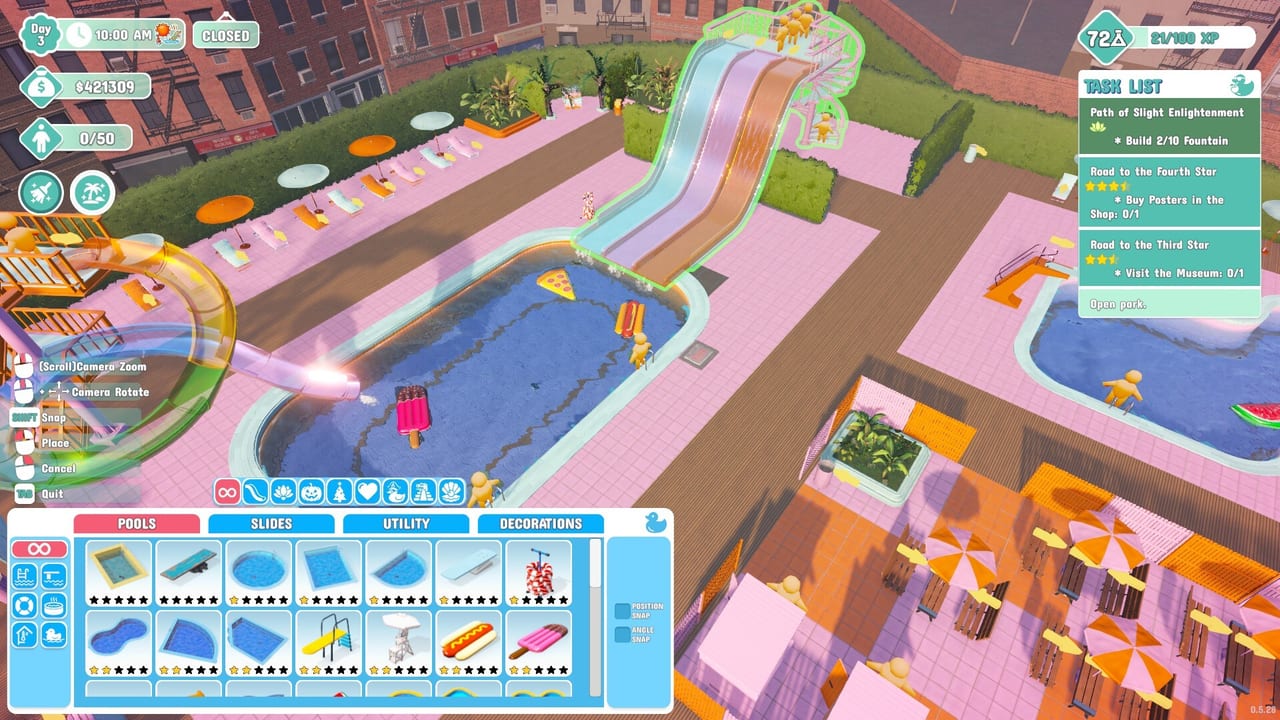
Enter Build from the prompted button (equivalent to PC’s B). The camera shifts to a placement/drone style view:
- Move the view with the left stick
- Rotate pieces with the prompted shoulder or stick click until trash arrows face guest paths
- Confirm placement, then hold interact to hammer unfinished structures
Bin coverage rings and arrows are easy to misread on a living room screen. Step the camera lower when placing hygiene objects. Custom slides in 1.0 are creative catnip—place pathing and bins before you celebrate the loop with friends.
Tickets, flyers, and guest verbs
At the booth, highlight the guest, confirm age category, and add a slide pass when needed. Touchpad or menu modifiers may cycle ticket types depending on platform UI—watch the on-screen ticket summary before you commit. Missing bracelets still mean free riders; push them out immediately. Devil-icon guests can be paying customers and still deserve ejection before they foul a pool (Getting Started).
Flyer loops: print, sprint outside near open, interact with street pedestrians, return. Sprint settings matter here as much as on PC.
Cleaning under pad pressure
Follow the same economy as everyone else: fill bags completely, throw once, mop puddles before ragdoll piles form (Cleaning Loop). Triggers for hold-to-mop are comfortable for long puddle chains; take breaks if a long diamond grind session strains your hands. Adaptive trigger hardness (PS5) is optional flavor—disable or soften if fatigue hits during overtime nights.
Life ring throws need right-stick aim. Pre-toss rings into pools at open so some guests self-rescue while you run another alert.
Menus, photos, and night mode
Options / Menu pauses and opens settings—use it to fix sprint, invert look, or leave without force-closing. Night mode’s glow is screenshot bait on consoles; raise brightness slightly if puddles vanish into reflections. Prestige and diamond quests still use the top-right objective list—pause if you need to read them without guests despawning your attention (Stars and Diamond Rating).
Xbox and PlayStation co-op notes
Online co-op supports 2–4 players. Xbox multiplayer may require the platform’s online subscription tier for consoles—check your storefront’s capability list before a session. PS5 players should confirm friends-list permissions the first time they host. In mixed groups, speak in verbs: “hold mop,” “rotate bin,” “push cheater,” “open build.” Role templates live in Multiplayer Co-op.
Security and mascot errands later in 1.0 are easy console side jobs for a fourth player while the host watches research spends.
Practice routine for pad players
- Open settings; settle sprint and look invert preferences
- Enter build, rotate a bin through all facings, place with coverage on a path
- Hold-mop two puddles without releasing early
- Fill a bag and practice aimed throws into disposal
- Push a troublemaker without dropping your mop
- Pause via Options/Menu and resume to prove the muscle memory
When to jump back to strategy guides
Controls get you to the mess; strategy clears it. After binds feel natural, run Getting Started, then specialize with cleaning and research pages. Use this console page as the translation layer whenever a PC-authored tip says “left click” or “right mouse.”
Official community help: Discord invite. Store pages: Steam for patch context even if you play on console.
Return to the Controls Hub for the section index, or compare notes with PC Controls before a cross-play night. Same waterpark—different plastic in your hands.
Frequently Asked Questions
Quick answers to the most common questions.
Does Waterpark Simulator on consoles use the same systems as PC?
Yes. PS5 and Xbox Series X|S received the 1.0 feature set, including online co-op 2–4, with pad-specific prompts instead of keyboard defaults.
How do I mop on a controller?
Equip the mop and hold the prompted interact/clean control over the puddle until it clears. Check on-screen hints if your remap changed the button.
How do I rotate buildings on console?
Enter build mode, then use the prompted shoulder or stick control to rotate until arrows and coverage face real guest paths.
Is there an Always Run equivalent on consoles?
Check Settings for sprint hold/toggle options and pick the behavior that keeps you fast without knocking guests down during bumps.
Do I need Xbox Game Pass or PlayStation Plus for co-op?
Online multiplayer on consoles typically needs the platform’s paid online multiplayer access. Verify on your storefront before inviting friends.
Where should console players go after learning binds?
Follow Getting Started, then Cleaning Loop and Research Points. Use Multiplayer Co-op when you host a 2–4 player session.