Waterpark Simulator PC Controls and Always Run
Keyboard essentials so sprinting stops bowling your guests.
Learn the verbs, then the keys
On Steam, Waterpark Simulator uses a first-person keyboard and mouse kit: move, look, hold-to-work, build drone, throw, and push. Version 1.0 (July 31, 2026) keeps that kit while adding co-op, night mode, and larger parks—so movement quality matters more than it did in a tiny Early Access lot. This page lists practical defaults, the Always Run setting you should enable early, and how binds map onto real chores from the Guides Hub.
Pair this with Console Controls if your lobby mixes platforms, and return to Getting Started once your hands know the toolkit.
Core movement defaults
| Action | Typical default |
|---|---|
| Move | W A S D |
| Sprint | Left Shift (see Always Run below) |
| Jump | Space |
| Ragdoll (fun/debug movement) | R |
| Look | Mouse |
You will spend hours crossing wet decks. Small aim adjustments beat frantic spinning when a drown icon appears behind you.
Always Run: the setting that saves reviews
If you sprint by holding Shift and brush a guest, you can knock them flat. Ragdoll comedy for you; negative feedback for the park. Open settings and enable Always Run so your character keeps sprint speed without the aggressive Shift-bump behavior that floors customers. You still move quickly for trash routes and flyer sprints, but guests stay on their feet more often.
This is the single highest-value PC tip for new managers. Turn it on before your second park day.
Interaction, tools, and inventory
| Action | Typical default |
|---|---|
| Interact / hold to hammer, mop, or work | Left Mouse |
| Push guests / throw filled trash bags | Right Mouse |
| Drop item | Q |
| Hands / quick tool slots | Number keys (hands often 1) |
| Inventory | I |
| Tablet | Tab |
| Camera view swap | V |
Hold Left Mouse for continuous work—pool repairs, mop strokes, construction finishes. Tap interactions for tickets, doors, and pickups. Right Mouse is dual-purpose: eject bracelet cheaters and yeet full bags into disposal. Practice both so a panic click during a rush does the intended verb.
Buy trash bags, swap to hands, fill completely, then Right Mouse throw—core loop from Cleaning Loop.
Building on PC
| Action | Typical default |
|---|---|
| Build menu | B |
| Drone / build camera move | W A S D while in build mode |
| Rotate placement | Mouse wheel |
| Confirm / hammer finish | Left Mouse hold as required |
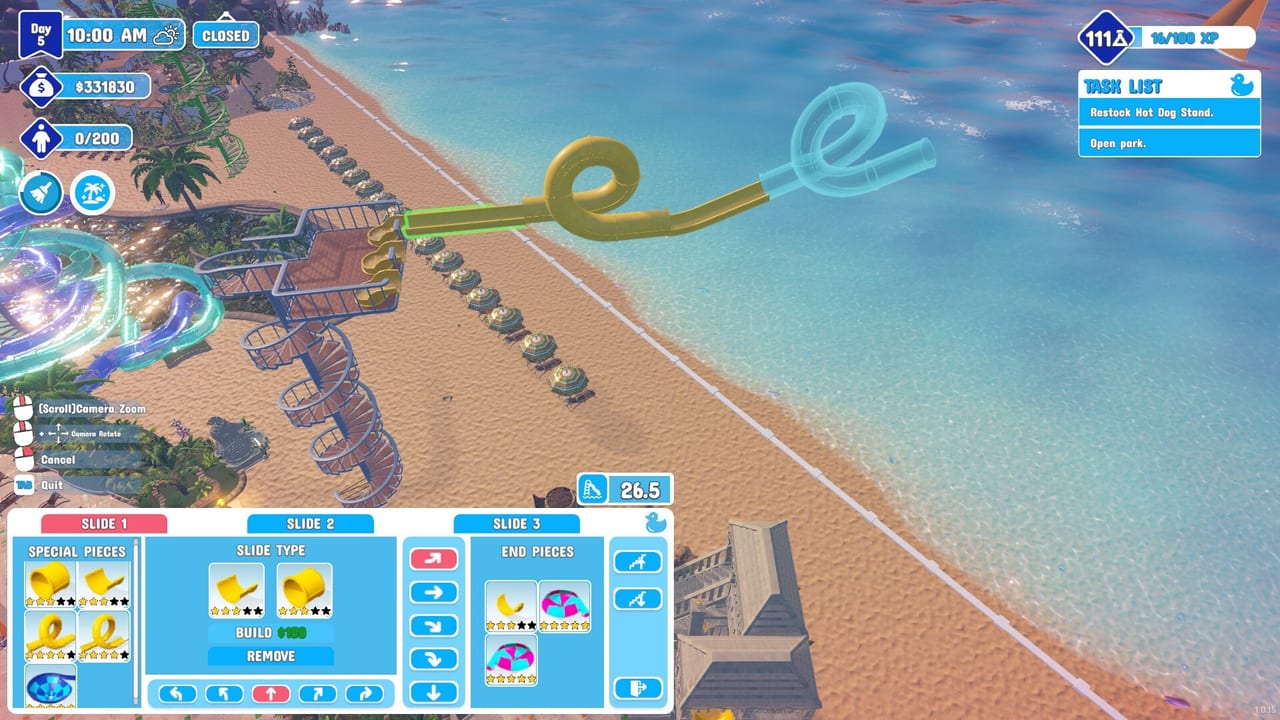
Press B to enter build mode, fly the drone camera, and rotate pieces so trash bin arrows face real paths. Mis-rotated bins fail silently. After placing, hammer constructions to completion. The Floor Tool research unlock makes large pads less painful—spend points as described in Research Points.
When the park grows, place umbrella bounce chains as transit. No fall damage means aggressive umbrella travel is valid logistics, not a glitch.
Guest and booth actions
At the ticket booth, use look + Left Mouse style interaction to choose age categories and slide passes. Wrong passes hurt income even if you are mechanically fast. Spot missing bracelets and Right Mouse push them out before they reach slides. Devil-icon troublemakers deserve the same urgency—details in Getting Started.
Flyers: buy/print, carry outside, interact with street NPCs right after open. Always Run helps you finish the flyer lap before the queue grows hostile.
Menus and session control
Esc opens the pause/settings menu during a session. Use it to toggle Always Run, fix sensitivity, or quit cleanly. You should not need Alt+F4 for ordinary exits. If co-op friends ask you to adjust voice or graphics mid-day, Esc is safer than tabbing out during a drown alert.
Sensitivity and quality-of-life
- Lower look sensitivity if bin rotation and drone cam overshoot
- Raise it if Beach map rescues require huge mouse sweeps
- Keep pockets researched so mop, glove, bags, and life ring are number-key close
- Rebind only after a full day on defaults so you know which conflict you are solving. Mid-August added a real Settings → Controls remap screen plus F1 free camera and H to hide the UI—practice on Keybinds and Free Camera before a Hard star day
Steam Deck or controller-on-PC users can layer community layouts, but keep the same mental model: move, hold interact, build, throw/push, inventory, pause.
Co-op callouts for keyboard players
In 2–4 player sessions, say the verb, not only the key: “pushing cheater,” “throwing bag,” “build mode,” “mopping blue deck.” Console friends may not know what Right Mouse means. Share role plans from Multiplayer Co-op and agree who may open the Research Table.
Practice course (ten minutes)
- Enable Always Run
- Open/close build menu and rotate a bin correctly
- Fill one trash bag and throw it
- Mop a puddle with a full Left Mouse hold
- Push a test troublemaker without dropping your tool
- Esc to settings and confirm sprint behavior still feels right
Finish that drill, then run a real open using Getting Started. Prestige pressure in Stars and Diamond Rating is easier when your hands are not the bottleneck.
For the section overview, return to the Controls Hub. PC mastery is mostly Always Run, clean Right Mouse intent, and build rotations that respect bin arrows.
Frequently Asked Questions
Quick answers to the most common questions.
How do I turn on Always Run?
Open the in-game settings menu (Esc) and enable Always Run so you keep sprint speed without Shift bumps that knock guests down.
What key opens the build menu?
Press B. Use WASD to move the build camera and the mouse wheel to rotate objects before placing them.
How do I throw trash bags on PC?
Fill the bag completely, aim at disposal, and use Right Mouse to throw. The same button is used to push guests, so watch your target.
How do I mop puddles?
Equip the mop and hold Left Mouse over the water until the puddle clears.
How do I stop cheaters without a bracelet?
Look for missing wristbands and push them out with Right Mouse before they enter attractions.
How do I open settings without closing the game?
Press Esc during gameplay to reach the menu for settings or a clean exit.