Waterpark Simulator Decor Customization for Diamond Parks
Theme props that photograph well and still leave room to run a park.
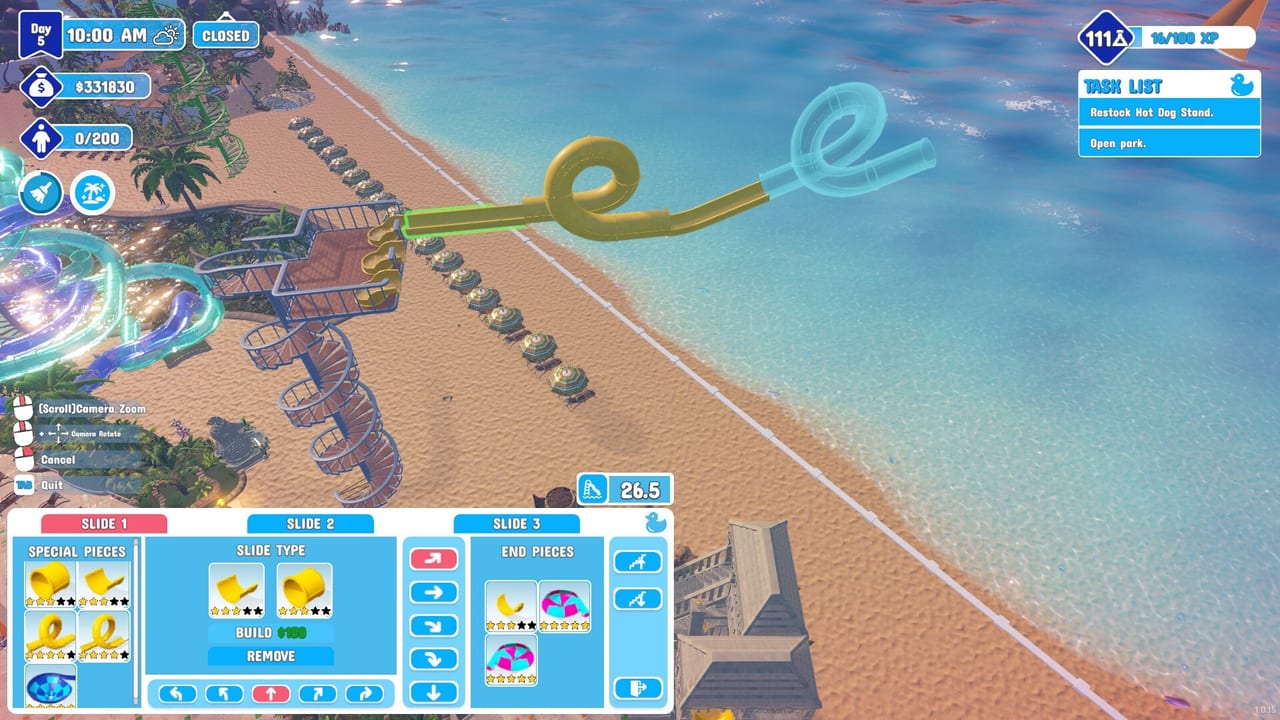
Decor after operations, not before
Waterpark Simulator 1.0 from CayPlay Studios launched July 31, 2026 on Steam, PlayStation 5, and Xbox Series X|S at $12.99 with a much deeper cosmetics layer: Ocean, Aztec, and Pirate identities, Beach map canvases, night lighting, diamond-rating photo expectations, security sightlines, and mascot plazas. Online co-op for 2–4 players makes decoration parties tempting—and dangerous—when props erase the management loop.
This page is the item-side companion to Themes: Ocean, Aztec, Pirate. It focuses on buying, placing, and auditing decor so customization raises prestige without hiding trash coverage or slide exits. Keep Food Concessions and Tools Equipment open while you decorate.
Budget rules for 1.0 parks
Spend on decor when:
- Tickets and slide passes are stable (Getting Started)
- Cleaning and bins hold through peak (Cleaning Loop)
- Food counters stay stocked on the loop you will theme
- You are chasing prestige or diamond objectives that reward identity (Stars and Diamond Rating)
If research still lacks Floor Tool, pocket space, or hiring tiers, buy those first (Research Points, Upgrades Priority). A themed puddle is still a rating hit.
Placement order that prevents disasters
- Floors and edges — Establish district color before small props.
- Functional keep-outs — Mark bin spots, mop lanes, life-ring access, and slide walk-offs as no-prop zones.
- Hero pieces — One statue, arch, or cove centerpiece per plaza for screenshots.
- Fill props — Barrels, plants, rails that do not block the keep-outs.
- Audit walk — Play as cleaner and security before you call the district done.
This order matters more on Beach frontage where distance already taxes staff (Beach Map Zones).
Ocean, Aztec, Pirate as item kits
Ocean kits love open decks and pool lips. Use low props that frame water. Avoid tall screens that hide drowning guests from lifeguard sightlines.
Aztec kits create raised courts and prestige photo spots. Watch stairs and ledges for puddle chains. Keep terrace mop width honest.
Pirate kits sell fun fast but spawn blind corners. Keep crate clusters on the outside of the circulation spine, never as a maze through the only path to food or toilets.
Full district strategy remains on the map theme page; here the item rule is simple: if a prop fights a bin arrow or a life ring, the prop loses.
Decor versus build landmarks
Custom slides and pool geometry are not “decor,” but decor must respect them. Do not place planters in splashdown exits or photo barriers across queue mouths—re-test with Custom Slides and Pool Layout. Prestige landmarks from Prestige Builds should sit beside a working loop so diamond screenshots also show a functional park.
Rank whether cash should buy another attraction or another crate set via Attractions Tier List and the Tier List Hub.
Mascots, security, and co-op decorating
Mascots need open idle plazas—decorate a stage, not a closet. Security needs continuous sight along the spine; delete props that create night ambush pockets before you enable Night Mode and Weather. Hire or reassign roles using Hiring Guide and Staff Roles Tier List when a newly pretty district becomes a troublemaker nest.
In co-op, appoint one decorator per district and one veto player who protects bins and tools. Decoration without vetoes is how Beach parks lose diamond momentum (Multiplayer Co-op).
Night-ready customization
Decor that looks fine at noon can silhouette into black blobs at night. After a prop pass:
- Confirm lamps still light the spine
- Avoid tall Pirate sails that shade food queues
- Keep Aztec stairs lit to reduce slip comedy
- Preserve Ocean edge visibility for rescues
Overtime already costs money—do not add dark mop hunts for free.
Decor customization checklist
- Unlock themes only on a stable loop
- Lay district floors before clutter
- Protect bins, mop lanes, rings, and exits
- Place one hero prop per plaza
- Transition neutrally between Ocean, Aztec, and Pirate
- Walk security and cleaner routes after placement
- Stage mascots in open photo space
- Re-light for night before evening open
- Re-check diamond objectives before a shopping spree
- Track patch crate changes in Updates; keep Tools and Build handy for redesign days
Decor customization is how Waterpark Simulator parks get identity for diamond climbs and co-op screenshots. Treat Ocean, Aztec, and Pirate items as district kits with hard keep-outs, and your pretty park will still mop, feed, and eject trouble like a business—not a prop museum. Return to the Items Hub or Guides when the catalog temptation outruns the day’s real bottleneck.
Frequently Asked Questions
Quick answers to the most common questions.
When should I start buying decor in Waterpark Simulator?
After tickets, cleaning, and food are stable on the loop you want to theme. Cosmetics should not outrun basic operations.
What is the biggest decor mistake?
Blocking bin facing, mop lanes, or slide exits with props. Re-audit trash and rescue access after every decoration pass.
Should I mix all three themes everywhere?
No. Build coherent Ocean, Aztec, or Pirate districts with short neutral transitions for wayfinding and cleaner screenshots.
Do mascots need special decor space?
Yes. Give them open plazas for guest photos instead of stuffing them into narrow themed corridors.
How does decor interact with night mode?
Tall props can create dark pockets. Re-check lighting on the circulation spine after decorating and before overtime nights.
Who should decorate in co-op?
Assign one decorator per district and keep one player with veto power over props that break bins or security sightlines.